
Screenshot API
Built for visual archiving, change detection, and compliance evidence. One POST captures full-page screenshots, PDF renders, or element-level images from any URL — JavaScript-heavy pages and SPAs included, no headless browser to manage.
Try in Playground →Screenshot API — Live Preview
url="searchcans.com/pricing/"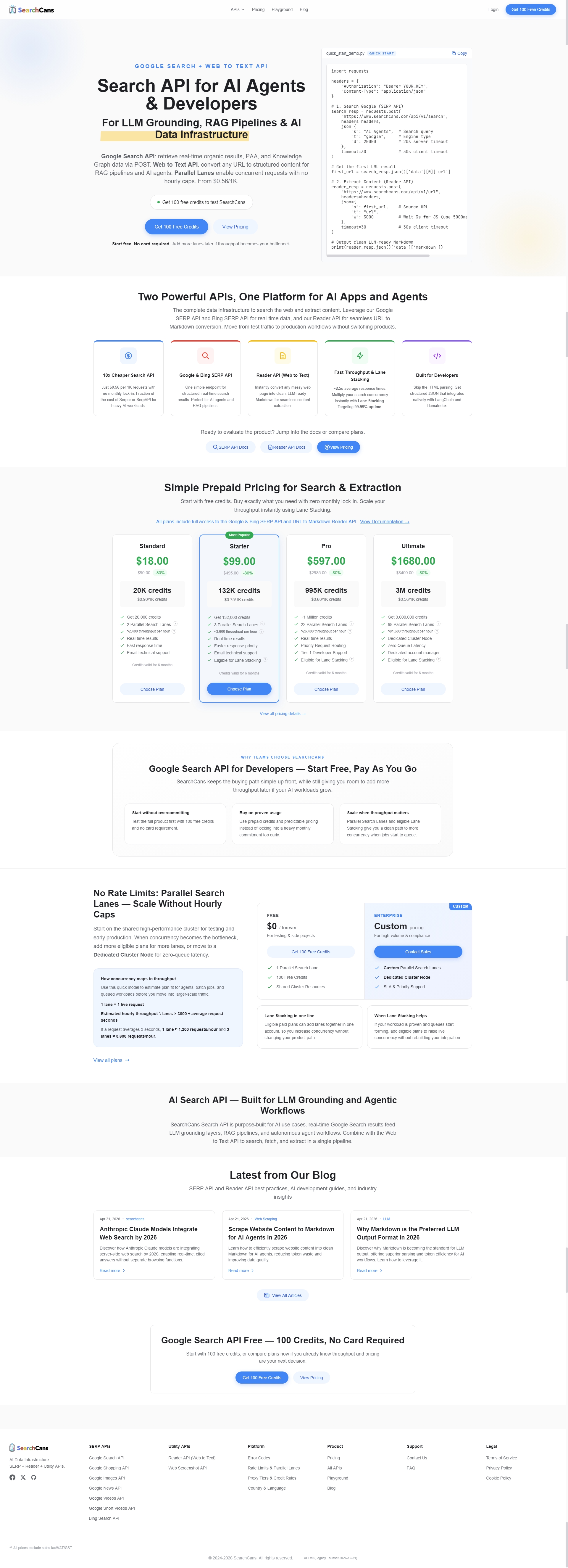
Use "image": 2 for full-page capture or "image": 1 for first screen only. Response includes a hosted imageUrl.
API Endpoint
https://www.searchcans.com/api/v1/url Code Examples
curl -X POST "https://www.searchcans.com/api/v1/url" \
  -H "Authorization: Bearer YOUR_API_KEY" \
  -H "Content-Type: application/json" \
  -d '{
    "t": "url",
    "s": "https://www.searchcans.com",
    "image": 2,
    "mode": 1,
    "w": 1000,
    "d": 20000
}'Example Response
{
"code": 0,
"data": {
"id": "q_2087414254738083840_77383cec-1339-46de-933f-b93ca8148ec4",
"title": "Google Search API Pricing — From $0.56/1K | SearchCans",
"description": "Simple pay-per-request pricing. Google Search API from $0.56/1K. No subscriptions, no rate limits, no hidden fees. Compare with SerpApi and ScrapingBee.",
"markdown": "**Earn free credits** — refer friends, redeem promo codes & share on social.\n\n[Claim credits](https://www.searchcans.com/dashboard/rewards/)\n\n[](https://www.searchcans.com/)\n\nAPIs\n\n\n#### SERP APIs\n\n\n- [Google Search API Popul… (12550 chars total)",
"imageUrl": "/serp-preview/screenshot_api.png"
},
"msg": "success",
"requestId": null
}Request Body (JSON)
| Parameter | Type | Description |
|---|---|---|
| t | string | API type — always "url" for Screenshot API "url" |
| s | string | Target URL to capture a screenshot of "https://example.com" |
| image | integer | Screenshot mode: 0 = none, 1 = first screen only, 2 = full page 2 |
| mode | integer | Render mode: 0 = standard HTTP (default), 1 = headless browser 1 |
| w | integer | Wait time after page load in milliseconds (default: 5000). Only applies when mode=1 1000 |
| d | integer | Request timeout in milliseconds (default: 30000) 30000 |
| captcha | integer | CAPTCHA bypass: 0 = disabled (default), 1 = attempt to solve simple CAPTCHAs automatically. No extra credits deducted. 1 |
API Response — Hosted Image URL & Page Content
When "image": 2 (full page) or "image": 1 (first screen) is set, the response includes a hosted screenshot URL alongside the page's Markdown content.
data.imageUrl
Hosted URL of the captured screenshot PNG — ready to download, embed, or pass to a vision model.
data.markdown
Page content as clean Markdown — included alongside the screenshot automatically.
data.title
Page title extracted from the captured URL.
data.description
Meta description from the captured page.
data.id
Unique request ID for this job. Useful for deduplication, logging, and support queries.
requestId
Top-level trace identifier returned by the backend. May be null for synchronous requests.
Browser Automation API — Headless Rendering
Enable headless browser rendering (not full browser automation) to load JavaScript-heavy pages before extraction.
Set "mode": 1 to load the page in a real browser environment — ideal for single-page applications, React/Vue/Angular sites, and dynamically rendered content.
Use the "w" parameter to set a wait time in milliseconds after page load.
JavaScript Rendering API — Capture Dynamic Pages
With "mode": 1, the Screenshot API acts as a JavaScript Rendering API — executing scripts, waiting for async content, and capturing the final rendered state. Ideal for React, Vue, Angular, and any page that loads content dynamically. Use the "w" parameter to set a custom wait time in milliseconds.
Web Screenshot API — Capture Full Pages, PDFs or Elements
Control capture mode via the "image" parameter: 1 for first viewport (above the fold), 2 for full-page capture. Response includes a hosted PNG URL — ready to download, embed in a report, or pass to a vision model.
Start Building Free
100 free credits on sign up — no credit card required.