
A gap is more than a keyword another site mentions. It may be a question, a buying choice, or a proof need that the current results do not answer well. The gap belongs to the market you checked.
This method turns one Google or Bing results page into a short brief. The brief lists page types and questions to check. It also lists linked searches and facts a writer should check before publishing.
Short answer: define one market and inspect one result page. Turn useful questions into research tasks. Use Reader to verify factual claims.
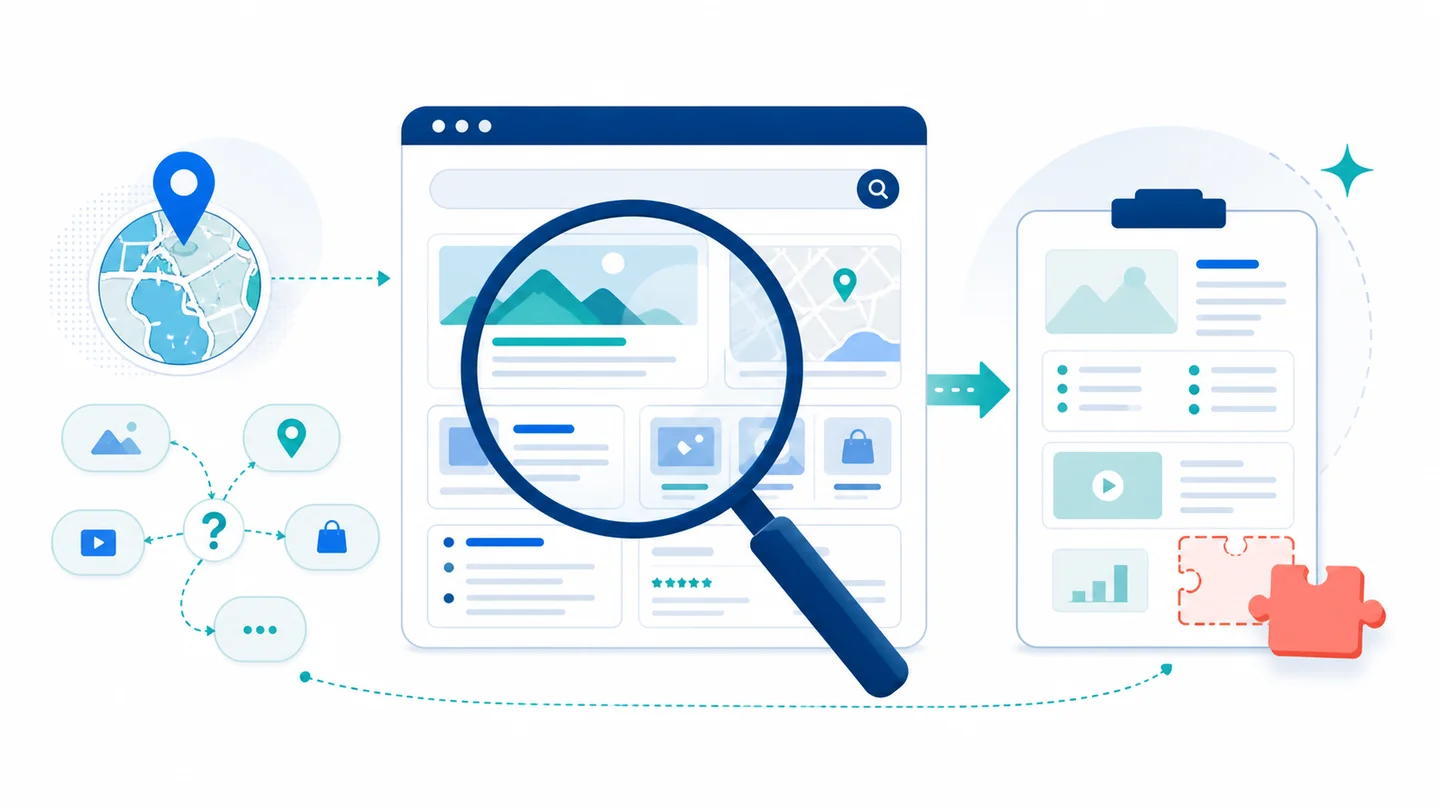
Figure 1. A localized results page supplies questions and clues for a source-aware content brief.
Keyword coverage and gaps answer different questions
Keyword research asks which terms other sites appear to cover. A SERP gap check adds questions that matter to the person reading the page:
- What page types are visible for this exact query?
- Which user questions appear in the results?
- Which subtopics repeat across the leading pages?
- Which decision criterion is missing or only partly explained?
- Does the pattern change by country, language, or search engine?
The answers help a team meet the searcher’s need without copying a rival outline. They also help the writer make a distinct explanation with sources, not repeated wording.
Define the market before you search
Record the inputs for every run. The result page shows the market you asked the search engine to show. It cannot stand in for a different country or language.
| Input | Example |
|---|---|
| Target query | SERP content gap analysis |
| Engine | Google or Bing |
| Country | United States |
| Language | English |
| Audience | SEO and content operations teams |
| Page goal | Tutorial, comparison, landing page, or update |
Country and language are not decoration. Do not use one market result as evidence for another market. Run a new search.
Read the SERP as a content brief
The SearchCans Google Search API returns useful fields for a brief. Use them to make writing choices.
| SERP field | Use it to inspect | Do not infer |
|---|---|---|
| Organic results | Leading domains, formats, and visible angles | Competitor traffic or business results |
| People Also Ask | Questions the brief should consider | Search volume or broad demand |
| Related searches | Other wording and possible subtopics | A sure keyword group |
| Top stories | A freshness angle that needs review | Evergreen intent |
One results page can help you form an idea about intent. It cannot prove demand, traffic, rankings, or the full quality of a rival page.
Follow five steps
1. Fetch one page first
Start with one page. It often shows guides, tools, comparisons, or news. Ask for more pages only when a choice needs more proof.
2. Sort the page types
Group the leading results by format. A page full of beginner guides calls for a direct answer. A page full of software pages may leave room for a how-to guide. It may also need a clear way to compare options. It may need first-party advice too.
3. Use questions, not snippets
Turn People Also Ask and related searches into possible headings or research tasks. Do not copy a snippet into the article. Give each question one of three outcomes:
- answer it with a source.
- answer it as clearly labeled writing advice.
- leave it out until the team has enough evidence.
4. Find the useful gap
The best gap is not always an uncovered phrase. It can be a missing rule for comparison, a missing country detail, or weak source links. It may also be a buyer question that pages mention but do not resolve.
5. Verify claims with Reader
Before your brief says what a rival page claims, read that page. The SearchCans Reader API can return Markdown. Record the URL and title. Also record read status and text that supports the fact.
The SERP tells you which pages were visible. Reader tells you what a selected page said when you read it.
Use this content-brief template
Market and query
- Engine, country, language, date, and audience

Observed intent
- Leading page formats and visible angles

Questions to explore
- Questions worth researching before publication

Distinct angle
- Missing rule, source gap, local need, or how-to gap

Proposed outline
- H2 and H3 structure that fits the observed intent

Evidence to validate
- URLs to read before making factual claims

Limits
- What this snapshot cannot establish
The template keeps research clues out of the final article. A strategist can define the gap. A writer can draft the answer. A subject expert can then check the proof.
Set a sensible research budget
Planning can cost more when every query opens many result pages. It also costs more when each result becomes a Reader request. Keep the first run small. Start with one query, one result page, and a small source cap.
For a bigger run, check the SearchCans Account API first. Use the credits and Parallel Lanes to choose a page cap and worker count. Keep raw account data out of the brief. Keep keys out too.
How this supports SEO and GEO
SEO needs a page that meets the searcher’s task. GEO needs an answer that is easy to inspect, name, and check. A good brief helps both. It gives the writer:
- a direct answer for the main question.
- headings that answer useful questions.
- sources for important facts.
- clear limits when evidence is incomplete.
These parts make the page clearer. They do not promise a rank or an AI citation.
Common questions
Q: Is a content gap the same as a keyword gap?
A: No. A keyword gap compares terms. A gap can also be a missing rule, proof need, audience difference, or how-to answer.
Q: Can I use one SERP for every market?
A: No. Record the engine, country, and language for the result page you inspected. Run a new search before you make a claim about another market.
Q: Should I copy People Also Ask questions into my headings?
A: Treat them as prompts for research. Keep a question only when it helps the reader and you can answer it with care.
Build content briefs with SearchCans
Use the SearchCans SERP Content Gap Skill to inspect a local SERP and keep request status clear. It turns valid questions into a source-led brief.
npx skills add https://github.com/SearchCans/searchcans-skills --skill searchcans-serp-content-gap
For a related use case, read Automate Competitor Keyword Gap Analysis with a SERP API for SEO. New accounts can check Dashboard → Free Redemption Codes after signing in. The page lists the current weekly test credit code.
