
Search results help an AI agent find pages. They do not prove what those pages say.
It matters when an agent studies a market, compares vendors, checks a fact, or writes a customer report. A title and snippet can be useful leads. But they are short and can change. A report should cite pages the agent has read.
Short answer: define the questions, search one market, read a small set of pages, and allow only successfully read URLs to support key claims.
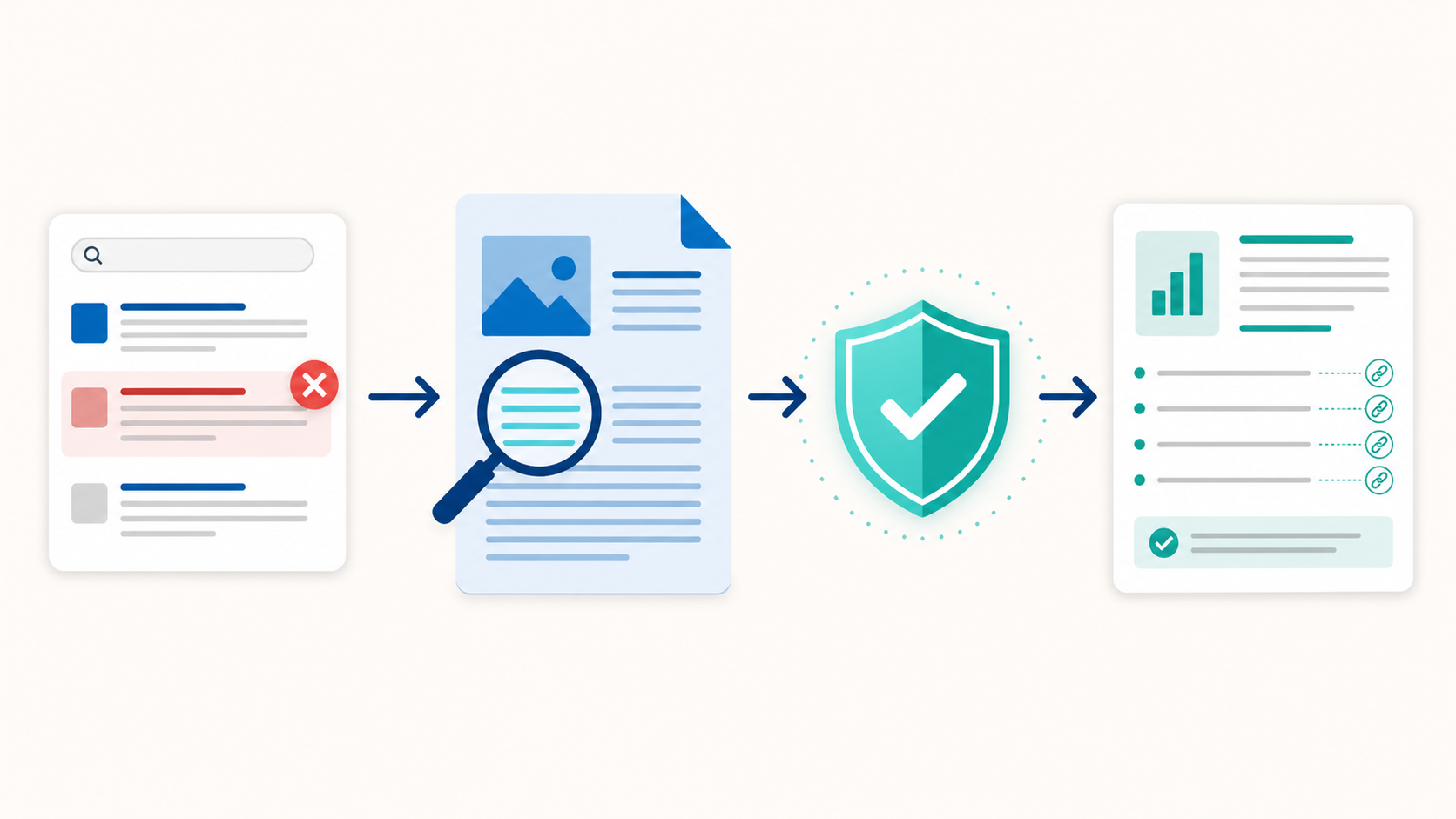
Figure 1. A search lead becomes evidence only after the agent reads and checks the page.
Use the SERP to find pages, not to make claims
A SERP is a search-engine results page. It shows what was visible for one query, engine, country, language, and moment in time. It can help a researcher find:
- page formats that dominate the results.
- terms that occur in result titles.
- People Also Ask questions worth checking.
- related searches that suggest another question.
- URLs that may lead to primary or official material.
A SERP cannot confirm a sentence on a result page. A snippet may omit a limit. It may reflect an old page. The full page may add an important condition.
Use this rule throughout the job:
Search results decide what to read. Read pages decide what to claim.
Start with four research questions
Write the questions before the first search. A small plan gives the agent a boundary. It also lets a reviewer inspect the result.
| Job | Question | Expected output |
|---|---|---|
| Main fact | What must be true for this decision? | A documented answer |
| Options | What alternatives should the team compare? | A fair comparison set |
| Proof | Which first-party or official page can confirm it? | A URL to read |
| Gap | What remains uncertain or disputed? | A follow-up action |
For example, a team choosing a compliance platform can ask which capabilities match its use case, which local rules apply, which limits could affect the choice, and what still needs confirmation.
The plan stops a focused request from becoming an endless crawl. It also shows what the report did not try to prove.
Search a defined market
Set the engine, country, and language for each search. English is a language preference, not a market by itself.
market = {"engine": "google", "country": "us", "language": "en"}
question_count = 4
max_reader_pages = 5
The SearchCans Google Search API returns results in fields. These include organic results, People Also Ask questions, and related searches. Use them to make a reading list. Do not use one results page to claim traffic, search volume, or a future rank.
Read the page before you cite it
Choose a small source budget. Start with first-party docs, official material, or a strong independent source that can test an important claim.
Then repeat these steps for each page:
- Choose a URL that can answer one research question.
- Use the SearchCans Reader API to return clean Markdown.
- Use page rendering only if the first read misses needed JavaScript content.
- Record an empty, blocked, or failed result as a failed read.
Keep a short record: URL | read status | question | next step.
A failed read is not proof. It is a reason to pick another page or report the gap.
Build a claim ledger before writing
Do not ask the model to draft from a pile of titles and snippets. First create a small claim ledger.
| Field | What to keep |
|---|---|
| Claim | The exact statement the report may make |
| Evidence URL | A page returned by Reader |
| Source type | Primary, official, independent, or other |
| State | Fact, analysis, or open gap |
| Note | Conflict, date, or next check |
Only a claim with a read source URL should appear as a fact. If two good sources disagree, explain why. If a conclusion combines several pages, label it as analysis.
The NVIDIA Deep Researcher Agent docs show a similar path: plan, research, draft, check gaps, and collect citations. It is one approach, not a universal design.
Set a source budget and account limit
More calls help only when a key research gap remains. Start with a cap, such as four or five pages. For a bigger job, check the SearchCans Account API first.
Use the available credits and Parallel Lane count to choose a safe page count and worker count. Parallel Lanes are calls that can run at the same time. The rate-limit guide explains that limit.
The final report must not expose an API key, account name, or raw account response. It needs only a short note: requested five pages, read four, stopped after one blocked source.
For the full implementation pattern, see Build an Account-Aware Deep Research Agent.
Use a report that readers can review
A good final report is easy to scan and challenge. Use this order:
- Give the answer the decision needs and name the market.
- List the questions the research actually covered.
- Show the key findings with their supporting URLs and source types.
- State conflicts, failed reads, and open questions.
- Summarize the source budget and the method.
This structure also supports GEO. It gives readers direct answers, named sources, and clear limits. It avoids a blended summary that hides where claims came from.
Common questions
Q: Can an agent cite a SERP snippet?
A: No. A snippet is a lead. The agent should read the destination page before it treats a statement as evidence.
Q: How many sources should a deep research agent read?
A: Start with the smallest set that can answer the plan. Five pages is a practical first test. Read more only when an important gap remains or useful sources conflict.
Q: Why keep failed reads in the report?
A: They show what the agent could not verify. That helps a reviewer judge the confidence of the answer and decide what to check next.
Build verified research with SearchCans
Start with one market and one small source cap. Then add domain rules, caching, or human review when the task needs them.
Install the SearchCans Deep Research Skill for a bounded research plan, localized SERP discovery, Reader-backed evidence, and account-aware controls:
npx skills add https://github.com/SearchCans/searchcans-skills --skill searchcans-deep-research
New accounts can sign in and check Dashboard → Free Redemption Codes for the current weekly test credit code.
